
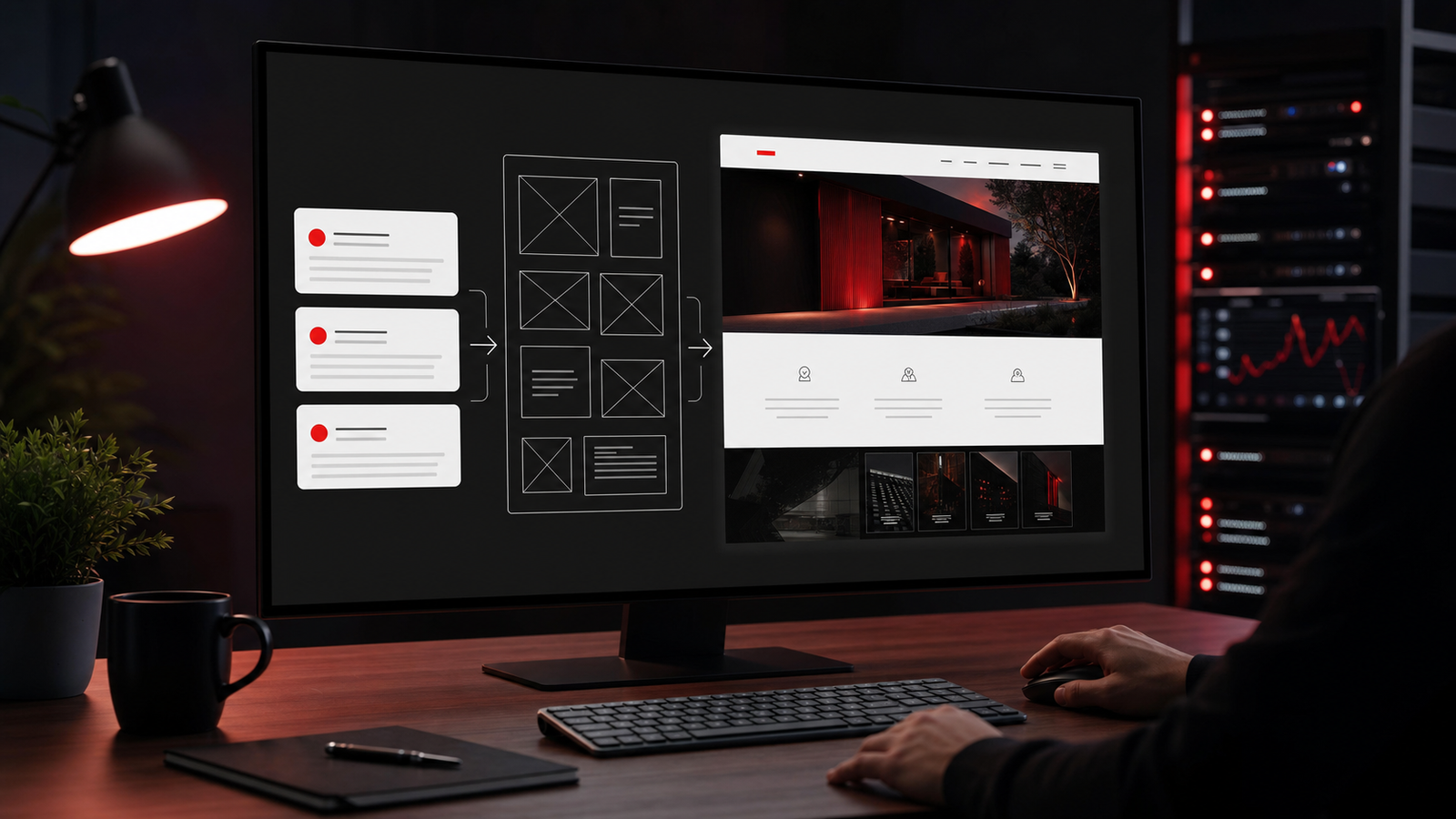
This guide answers a practical challenge: can one strong AI assistant help build a real website from simple prompts, without relying on a closed website builder platform? The answer is yes, but only if the workflow is structured correctly. In this setup, the AI works inside a local project folder, generates HTML, CSS, JavaScript, and assets, previews the result on the same computer, saves progress to GitHub, and only then publishes the approved files to production on Hostinger.يجيب هذا الدليل عن تحدٍ عملي: هل يمكن لمساعد ذكاء اصطناعي قوي واحد أن يساعد في بناء موقع حقيقي انطلاقاً من برومبتات بسيطة، من دون الاعتماد على منصة مغلقة لبناء المواقع؟ الإجابة نعم، لكن فقط إذا صُمم سير العمل بشكل صحيح. وفي هذا الأسلوب يعمل الذكاء الاصطناعي داخل مجلد مشروع محلي، ويولّد ملفات HTML وCSS وJavaScript والأصول، ويعاين النتيجة على نفس الكمبيوتر، ويحفظ التقدم على GitHub، ثم ينشر الملفات المعتمدة إلى الإنتاج على Hostinger.
Build goalهدف البناء
Use one AI assistant as an operator, not a toy website builder. The assistant should help plan the site, create page structure and content, write and update HTML, CSS, JavaScript, and assets in a local working copy, preview and test the result locally, save the work to GitHub, and only then prepare a production publish step for human approval.الهدف هو استخدام مساعد ذكاء اصطناعي واحد كمشغّل عملي، وليس كمنشئ مواقع محدود. يجب أن يساعد في تخطيط الموقع، وصياغة هيكل الصفحات والمحتوى، وكتابة ملفات HTML وCSS وJavaScript والأصول وتحديثها داخل نسخة عمل محلية، ومعاينة النتيجة واختبارها محلياً، وحفظ العمل على GitHub، ثم تجهيز خطوة النشر إلى الإنتاج بعد موافقة بشرية.
Recommended stackالمكدس المقترح
This is the cleanest default stack for the challenge.هذا هو المكدس الافتراضي الأنسب لهذا التحدي.
- Hostinger hosting for the final live site, with backups enabled.استضافة Hostinger للموقع الحي النهائي، مع تفعيل النسخ الاحتياطية.
- A local project folder or repository on the computer where the AI runs.مجلد مشروع محلي أو مستودع على الكمبيوتر الذي يعمل عليه الذكاء الاصطناعي.
- One AI tool with strong prompting, browsing, and implementation ability, such as Codex, Claude, or Gemini.أداة ذكاء اصطناعي واحدة تمتلك قدرة قوية على البرومبت والتصفح والتنفيذ، مثل Codex أو Claude أو Gemini.
- A GitHub repository for version history, off-machine backup, and recovery if local files are lost.مستودع GitHub لحفظ تاريخ التعديلات، والنسخ الاحتياطي خارج الجهاز، والاسترجاع إذا فُقدت الملفات المحلية.
- Plain HTML files, CSS, JavaScript, and image assets as the delivery format.ملفات HTML وCSS وJavaScript وصور وأصول أخرى بصفتها صيغة التسليم.
- Hostinger File Manager or SFTP access for uploading approved files to the server.وصول إلى Hostinger File Manager أو SFTP لرفع الملفات المعتمدة إلى الخادم.
What AI method fits this challengeما أسلوب الذكاء الاصطناعي المناسب لهذا التحدي
Use an AI assistant that can keep project context, work from a structured brief, inspect results in a browser, and help with implementation or configuration tasks. Plain chat is useful for copy and ideas, but website delivery improves when the model can also verify what it changed.استخدم مساعد ذكاء اصطناعي يستطيع الاحتفاظ بسياق المشروع، والعمل انطلاقاً من موجز منظم، وفحص النتائج في المتصفح، والمساعدة في مهام التنفيذ أو الإعداد. الدردشة العادية مفيدة للنسخ والأفكار، لكن تسليم الموقع يتحسن عندما يستطيع النموذج أيضاً التحقق مما غيّره.
Stage 1: Prepare hosting and the local workspaceالمرحلة 1: تجهيز الاستضافة ومساحة العمل المحلية
Start with infrastructure and the project folder before prompts. Register the domain, connect it to the hosting account, turn on SSL, and confirm backups. Then prepare a local project workspace where the AI will keep prompts, content drafts, HTML files, CSS, JavaScript, images, and exports. This local workspace is the safe place to review work before publishing.ابدأ بالبنية الأساسية ومجلد المشروع قبل البرومبتات. سجّل النطاق، واربطه بحساب الاستضافة، وفعّل SSL، وتأكد من وجود النسخ الاحتياطية. ثم جهّز مساحة عمل محلية يحتفظ فيها الذكاء الاصطناعي بالبرومبتات، ومسودات المحتوى، وملفات HTML وCSS وJavaScript والصور وعمليات التصدير. هذه المساحة المحلية هي المكان الآمن لمراجعة العمل قبل النشر.
Stage 2: Give the AI controlled accessالمرحلة 2: امنح الذكاء الاصطناعي صلاحيات مضبوطة
The AI does not need full ownership of the account. Give it only the minimum access required for the current stage of work.الذكاء الاصطناعي لا يحتاج إلى ملكية كاملة للحساب. امنحه فقط الحد الأدنى من الصلاحيات اللازمة للمرحلة الحالية من العمل.
- If the AI only needs to build locally, keep the work inside the project folder and do not give hosting access yet.إذا كان الذكاء الاصطناعي يحتاج فقط إلى البناء محلياً، فأبقِ العمل داخل مجلد المشروع ولا تمنحه وصولاً إلى الاستضافة بعد.
- For publishing, prefer Hostinger File Manager or separate SFTP credentials instead of sharing broader hosting control unnecessarily.وعند النشر، فضّل استخدام Hostinger File Manager أو بيانات SFTP منفصلة بدلاً من مشاركة تحكم أوسع في الاستضافة من دون حاجة.
- Do not give the AI billing access, domain registrar access, or access to unrelated mailboxes and services.لا تمنح الذكاء الاصطناعي صلاحية الفوترة، أو إدارة النطاق، أو الوصول إلى صناديق البريد أو الخدمات غير المرتبطة بالمهمة.
- If file-level changes are needed, keep the upload target limited to the website root such as public_html.إذا احتجت إلى تعديلات على مستوى الملفات، فاحصر هدف الرفع في جذر الموقع مثل public_html.
- The point is simple: local build first, file upload access only when the approved version is ready.الفكرة بسيطة: البناء محلياً أولاً، ووصول رفع الملفات فقط عندما تصبح النسخة المعتمدة جاهزة.
Stage 3: Work from a prompt pack, not scattered instructionsالمرحلة 3: اعمل من حزمة برومبتات لا من تعليمات مبعثرة
Keep the project brief in one working document. The AI should receive the business goal, target audience, page list, tone, visual references, brand constraints, required sections, asset rules, and the publish rule: nothing goes live without approval. This produces more reliable output than sending disconnected messages over many sessions.احتفظ بملف عمل واحد يضم موجز المشروع. يجب أن يستلم الذكاء الاصطناعي هدف النشاط، والجمهور المستهدف، وقائمة الصفحات، والنبرة، والمراجع البصرية، وقيود العلامة، والأقسام المطلوبة، وقواعد الأصول، وقاعدة النشر: لا شيء ينتقل إلى الإنتاج قبل الموافقة. هذا يعطي نتائج أكثر ثباتاً من إرسال رسائل متفرقة عبر جلسات كثيرة.
Stage 4: Build in short review loopsالمرحلة 4: ابنِ الموقع في دورات مراجعة قصيرة
Do not ask the AI to build the entire site in one pass. Use short loops with visible outputs.لا تطلب من الذكاء الاصطناعي بناء الموقع كاملاً في دفعة واحدة. استخدم دورات قصيرة بمخرجات مرئية.
- First pass: sitemap, page goals, and content outline.الدفعة الأولى: خريطة الموقع، وأهداف الصفحات، ومخطط المحتوى.
- Second pass: homepage and one inner page in the local preview.الدفعة الثانية: الصفحة الرئيسية وصفحة داخلية واحدة في المعاينة المحلية.
- Third pass: styling, images, forms, and navigation refinement.الدفعة الثالثة: تحسين التنسيق، والصور، والنماذج، والتنقل.
- Fourth pass: metadata, contact flows, legal pages, file cleanup, and final polish.الدفعة الرابعة: البيانات الوصفية، ومسارات التواصل، والصفحات القانونية، وتنظيف الملفات، واللمسات النهائية.
Stage 5: Preview and test locallyالمرحلة 5: عاين واختبر محلياً
The AI should help test, but the publish decision stays human. Run the site locally on the same computer, open it in a browser, check desktop and mobile layouts, click every important path, submit forms, confirm page speed is acceptable, and verify that search/snippet fields are filled. A simple acceptance checklist is enough if it is actually used.يمكن للذكاء الاصطناعي أن يساعد في الاختبار، لكن قرار النشر يبقى بشرياً. شغّل الموقع محلياً على نفس الكمبيوتر، وافتحه في المتصفح، وتحقق من عرض الهاتف والكمبيوتر، واضغط على كل المسارات المهمة، وأرسل النماذج، وتأكد أن السرعة مقبولة، وراجع حقول البحث والوصف. تكفي قائمة قبول بسيطة إذا كانت تُستخدم فعلاً.
Stage 6: Save the work to GitHubالمرحلة 6: احفظ العمل على GitHub
Before publishing, commit the approved local work and push it to GitHub. This gives you change history, rollback points, and an off-machine backup if the local computer is lost, damaged, or cleaned. In a prompt-led workflow, GitHub is not optional decoration. It is part of the safety system.قبل النشر، نفّذ commit للعمل المحلي المعتمد ثم ادفعه إلى GitHub. هذا يمنحك تاريخاً للتعديلات، ونقاطاً للرجوع، ونسخة احتياطية خارج الجهاز إذا فُقد الكمبيوتر المحلي أو تعطل أو تم تنظيفه. وفي سير عمل يعتمد على البرومبت، لا يُعد GitHub إضافة شكلية، بل جزءاً من نظام الأمان.
Stage 7: Publish only after approvalالمرحلة 7: انشر فقط بعد الموافقة
Once the site is approved locally and pushed to GitHub, take a fresh production backup, upload the approved files to Hostinger through File Manager or SFTP, place them in the correct web root such as public_html, and run a short smoke test on the public pages. If something is wrong, restore the last good backup instead of debugging on a broken live homepage.بعد اعتماد الموقع محلياً ودفعه إلى GitHub، خذ نسخة احتياطية جديدة من الإنتاج، ثم ارفع الملفات المعتمدة إلى Hostinger عبر File Manager أو SFTP، وضعها في جذر الويب الصحيح مثل public_html، ونفّذ اختباراً سريعاً على الصفحات العامة. وإذا ظهر خطأ، فارجع إلى آخر نسخة سليمة بدلاً من محاولة التصحيح فوق صفحة رئيسية معطلة.
Why this gives more control than a normal website builderلماذا يمنحك هذا تحكماً أكبر من منشئ مواقع عادي
A normal website builder usually locks you into its templates, editor, and pricing model. A prompt-led HTML workflow keeps the source files, hosting, assets, and deployment path under your control. You can change the AI tool later without rebuilding the whole business on a closed platform.منشئ المواقع العادي يربطك غالباً بقوالبه، ومحرره، ونموذج تسعيره. أما سير العمل المعتمد على البرومبت مع ملفات HTML فيُبقي الملفات المصدرية، والاستضافة، والأصول، ومسار النشر تحت سيطرتك. ويمكنك تغيير أداة الذكاء الاصطناعي لاحقاً من دون إعادة بناء النشاط على منصة مغلقة.
How the method reduces costكيف يقلل هذا الأسلوب التكلفة
The cost logic is simple: one hosting plan, one project repository, and one capable AI subscription can replace a separate website builder subscription, a separate AI copy tool, and part of the early design or setup work. The savings are strongest when the same operator uses the workflow repeatedly across multiple websites.منطق التكلفة بسيط: خطة استضافة واحدة، ومستودع مشروع واحد، واشتراك واحد قوي في الذكاء الاصطناعي يمكن أن يحل محل اشتراك منشئ مواقع منفصل، وأداة كتابة منفصلة، وجزء من أعمال التصميم أو الإعداد الأولى. وتكون الفائدة أكبر عندما يُعاد استخدام نفس سير العمل عبر عدة مواقع.
Main risks and how to reduce themالمخاطر الرئيسية وكيفية تقليلها
The workflow is effective, but it still needs controls.هذا السير فعال، لكنه ما زال يحتاج إلى ضوابط.
- Risk: the AI edits the wrong thing. Control: work in a local copy first, keep backups, and review before publish.الخطر: أن يغيّر الذكاء الاصطناعي الشيء الخطأ. الضبط: اعمل أولاً في نسخة محلية، واحتفظ بنسخ احتياطية، وراجع قبل النشر.
- Risk: over-permissioned access. Control: keep the AI local by default and only grant file upload access when needed.الخطر: صلاحيات أوسع من اللازم. الضبط: أبقِ الذكاء الاصطناعي محلياً افتراضياً، ولا تمنحه صلاحية رفع الملفات إلا عند الحاجة.
- Risk: losing local files. Control: push approved work to GitHub before publish.الخطر: فقدان الملفات المحلية. الضبط: ادفع العمل المعتمد إلى GitHub قبل النشر.
- Risk: weak output quality. Control: use a structured brief, short review loops, and visible acceptance criteria.الخطر: جودة خرج ضعيفة. الضبط: استخدم موجزاً منظماً، ودورات مراجعة قصيرة، ومعايير قبول واضحة.
- Risk: broken paths, missing assets, or upload mistakes. Control: verify links, images, and directory placement before and after upload.الخطر: مسارات مكسورة أو أصول مفقودة أو أخطاء في الرفع. الضبط: تحقق من الروابط والصور ومكان المجلدات قبل الرفع وبعده.
- Risk: direct live damage. Control: production publish happens only after human approval and a fresh backup.الخطر: إفساد مباشر للموقع الحي. الضبط: لا يتم النشر إلى الإنتاج إلا بعد موافقة بشرية ونسخة احتياطية جديدة.
Related videoفيديو مرتبط
 Hostinger Academy videoفيديو Hostinger Academy
How to Upload a Website to the Internetكيف ترفع موقعاً إلى الإنترنت
Open videoافتح الفيديو
Hostinger Academy videoفيديو Hostinger Academy
How to Upload a Website to the Internetكيف ترفع موقعاً إلى الإنترنت
Open videoافتح الفيديو
Sourcesالمصادر
- Hostinger tutorials: Making a website with HTML
- Hostinger tutorials: How to upload your website
- GitHub Docs: Quickstart for repositories
- GitHub Docs: Pushing commits to a remote repository
- OpenAI Developers: Codex use cases
- OpenAI Developers: Prompt engineering
- Anthropic docs: Prompt engineering overview
- Google AI for Developers: Prompt design strategies