
This is not only a story about one dashboard app. It is a guide for people who want to build useful internal tools with AI. The example is a private dashboard generator: upload a clean Excel or CSV file, let the app understand the data, create KPIs and charts, then save a reusable dashboard template. The bigger lesson is that AI can help you move from an idea to a working product faster, while the sensitive business data stays on your machine.هذه ليست قصة عن تطبيق لوحة معلومات واحد فقط. إنها دليل لمن يريد بناء أدوات داخلية مفيدة بمساعدة الذكاء الاصطناعي. المثال هنا هو مولد لوحات معلومات خاص: ترفع ملف Excel أو CSV منظمًا، فيفهم التطبيق البيانات، وينشئ مؤشرات ورسومًا بيانية، ثم يحفظ قالب لوحة معلومات يمكن استخدامه مرة أخرى. الدرس الأهم أن الذكاء الاصطناعي يمكن أن يساعدك على الانتقال من الفكرة إلى منتج يعمل بسرعة أكبر، مع بقاء بيانات العمل الحساسة على جهازك.
Start with a focused problemابدأ بمشكلة محددة
The best AI builds usually begin with a narrow problem. Here, the problem was simple: many teams have clean spreadsheets and need a dashboard quickly. They do not always need a full BI platform, a cloud workspace, or a long setup process. They need a guided local tool that turns one file into useful insight.أفضل المشاريع التي نبنيها بالذكاء الاصطناعي تبدأ غالبًا بمشكلة محددة. في هذا المثال كانت المشكلة واضحة: فرق كثيرة لديها جداول بيانات منظمة وتحتاج إلى لوحة معلومات بسرعة. ليست كل حالة بحاجة إلى منصة ذكاء أعمال كاملة أو مساحة عمل سحابية أو إعداد طويل. المطلوب أداة محلية موجهة تحول ملفًا واحدًا إلى رؤية مفيدة.
- Pick one real workflow people repeat often.اختر سير عمل حقيقيًا يتكرر كثيرًا.
- Keep the first version small enough to build and test.اجعل النسخة الأولى صغيرة بما يكفي للبناء والاختبار.
- Make the privacy rule clear from the beginning.اجعل قاعدة الخصوصية واضحة من البداية.
- Use AI to build the software, not to upload private business data.استخدم الذكاء الاصطناعي لبناء البرنامج، لا لرفع بيانات العمل الخاصة.
The experience to aim forالتجربة التي تستهدفها
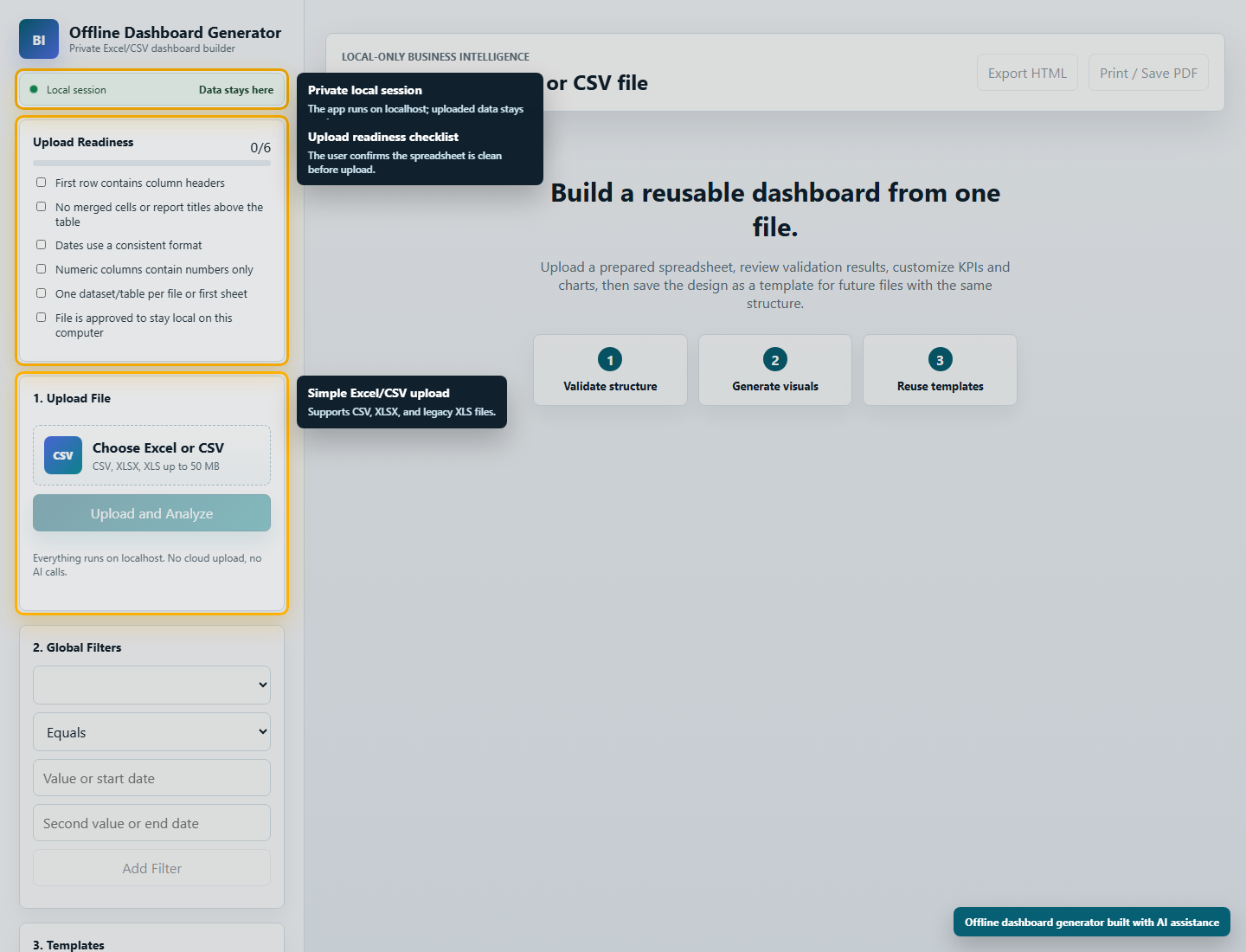
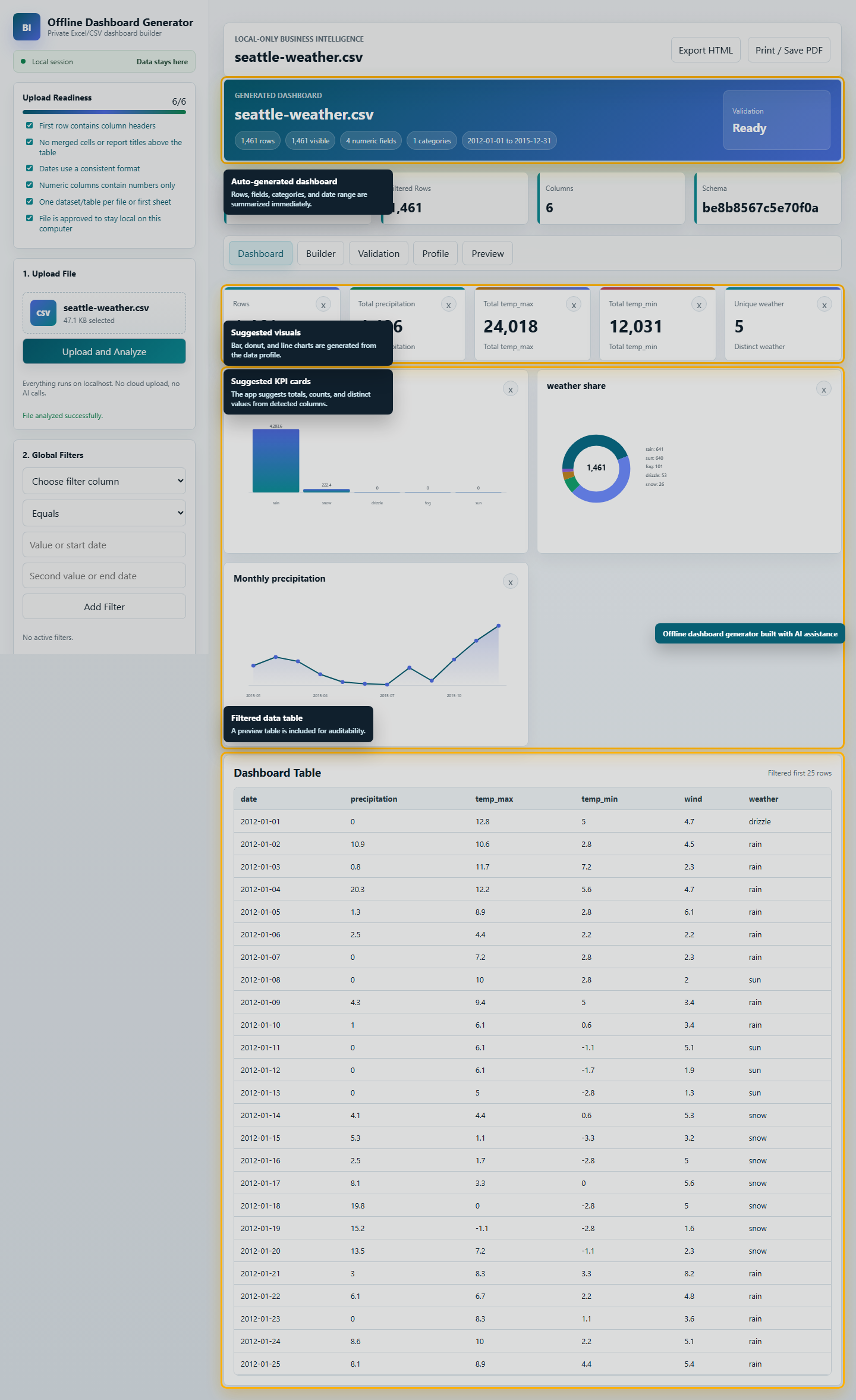
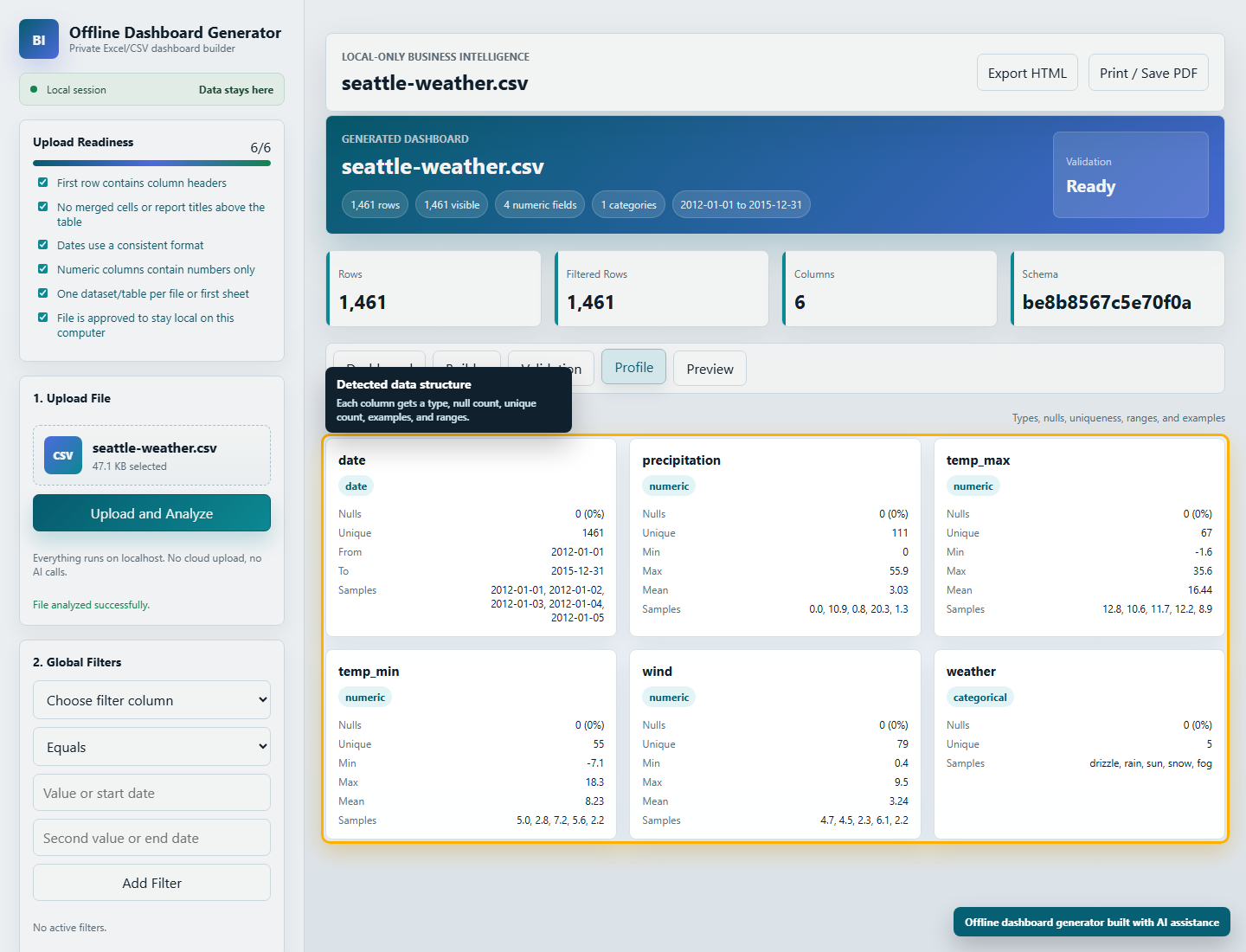
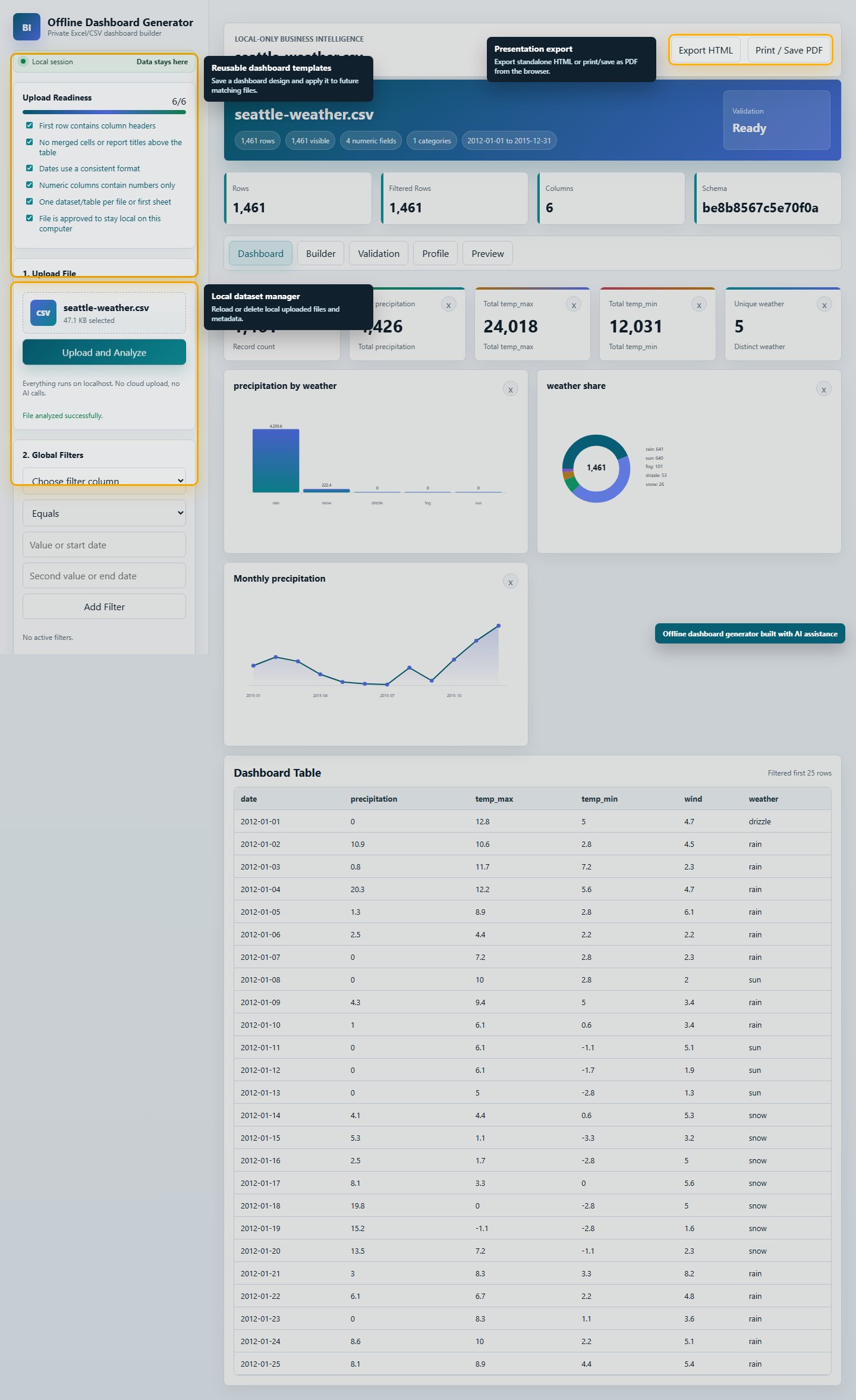
Think of the app as a guided assistant for spreadsheet reporting. The user should always know what to do next: prepare the file, upload it, review the data, accept or adjust the dashboard, then save the result for future reporting cycles.فكر في التطبيق كمساعد موجه لتقارير الجداول. يجب أن يعرف المستخدم دائمًا الخطوة التالية: تجهيز الملف، رفعه، مراجعة البيانات، قبول لوحة المعلومات أو تعديلها، ثم حفظ النتيجة لاستخدامها في دورات التقارير القادمة.
Use a strong starting promptاستخدم برومبت بداية قويًا
Do not ask AI for a vague dashboard. Give it a product role, a privacy rule, and a clear first version. This prompt is the kind of brief that gives the assistant enough direction to start building.لا تطلب من الذكاء الاصطناعي لوحة معلومات بشكل عام وغامض. أعطه دورًا واضحًا، وقاعدة خصوصية، ونسخة أولى محددة. هذا النوع من البرومبت يعطي المساعد اتجاهًا كافيًا ليبدأ البناء.
You are acting as a senior full-stack product engineer, data engineer, BI dashboard architect, and UI/UX designer.

Build a powerful offline dashboard generator for Excel/CSV files.

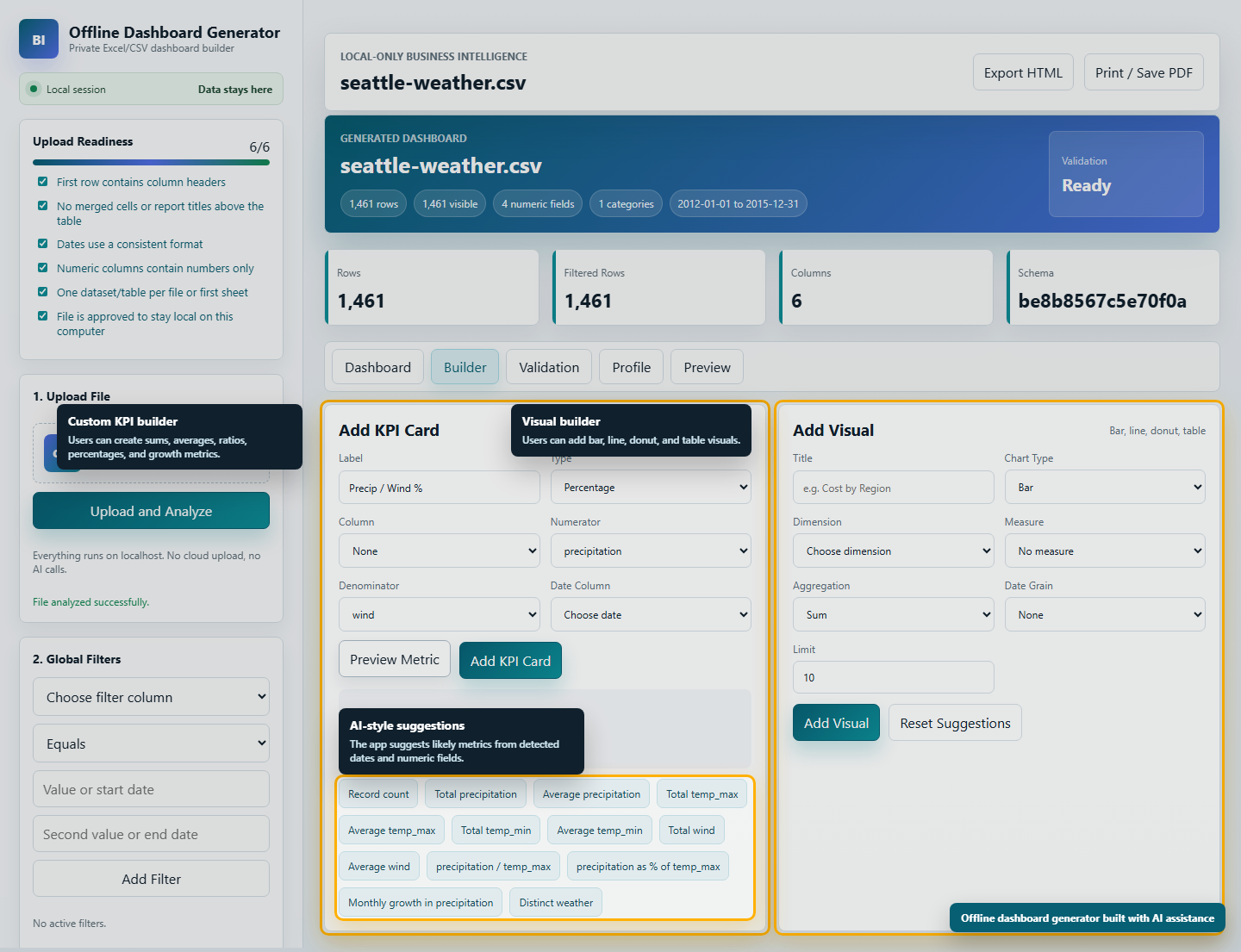
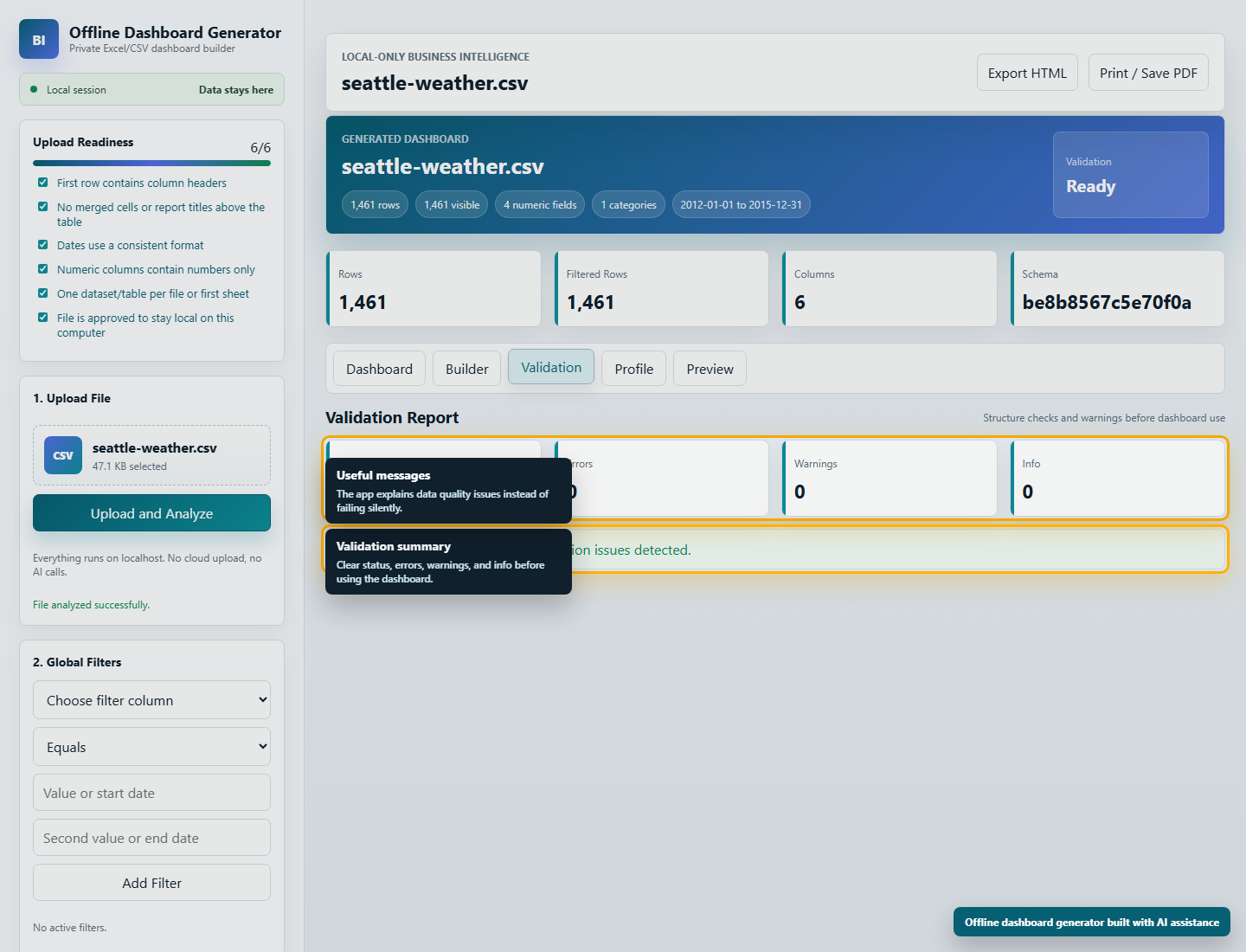
The app must work offline and must not send uploaded data to AI, cloud services, or the internet. It should allow a user to upload a clean Excel or CSV file, automatically understand the data structure, validate it, preview it, suggest KPIs, allow custom calculations, generate a modern Power BI-style dashboard, save dashboard templates, and reuse those templates with future files that have the same structure.

Requirements:
- Local-only app
- Excel and CSV upload
- Upload checklist before file upload
- Data preview
- Automatic column type detection
- Validation layer with clear errors
- Suggested KPIs and charts
- Custom metrics: count, sum, average, min, max, distinct count, ratio, percentage, growth
- Visuals: KPI cards, bar charts, line charts, donut charts, tables
- Filters and slicers
- Dashboard customization
- Save and apply reusable templates
- Local dataset manager
- Export dashboard as HTML and browser print/save PDF
- Clean modern premium UI
- Strong test coverage
- Sensitive-data-friendly design

Start with a simplified pilot first, then harden it through testing with real datasets and edge cases.
Build in layersابنِ على مراحل
A useful AI build does not need to start as a perfect product. Build the workflow in layers and verify each layer before moving on.المشروع المفيد بالذكاء الاصطناعي لا يحتاج أن يبدأ كمنتج مثالي. ابنِ سير العمل على مراحل، وتحقق من كل مرحلة قبل الانتقال إلى التالية.
- First, make upload and preview work.أولًا، اجعل الرفع والمعاينة يعملان جيدًا.
- Next, detect columns and generate simple KPIs.بعد ذلك، اكتشف الأعمدة وأنشئ مؤشرات بسيطة.
- Then add charts, filters, and dashboard controls.ثم أضف الرسوم البيانية والفلاتر وعناصر التحكم.
- After that, add templates so the dashboard can be reused.بعدها أضف القوالب حتى يمكن إعادة استخدام لوحة المعلومات.
- Finally, harden the app with validation, exports, and edge-case testing.وأخيرًا، قوِّ التطبيق بالتحقق والتصدير واختبار الحالات الصعبة.
Keep the private-data promiseحافظ على وعد خصوصية البيانات
The most important design choice is privacy. AI helped build the app, but the app itself does not need to send uploaded spreadsheets to AI, cloud services, or the internet. That distinction makes the idea much more useful for teams working with HR, finance, operations, inspections, or internal government-style reports.أهم قرار في التصميم هو الخصوصية. الذكاء الاصطناعي ساعد في بناء التطبيق، لكن التطبيق نفسه لا يحتاج إلى إرسال الجداول المرفوعة إلى الذكاء الاصطناعي أو الخدمات السحابية أو الإنترنت. هذا الفرق يجعل الفكرة أكثر فائدة للفرق التي تتعامل مع الموارد البشرية أو المالية أو العمليات أو التفتيش أو التقارير الداخلية.
- Use AI for planning, coding, testing, and improving the tool.استخدم الذكاء الاصطناعي للتخطيط والبرمجة والاختبار وتحسين الأداة.
- Process uploaded files locally.عالج الملفات المرفوعة محليًا.
- Store datasets and templates locally.احفظ البيانات والقوالب محليًا.
- Make export possible without forcing a cloud account.اجعل التصدير ممكنًا من دون إجبار المستخدم على حساب سحابي.
What to build nextما الذي يمكن بناؤه بعد ذلك
Once the basic flow works, the next improvements should make the tool easier to use, not just more complex.بعد أن يعمل المسار الأساسي، يجب أن تجعل التحسينات التالية الأداة أسهل في الاستخدام، لا أكثر تعقيدًا فقط.
- Better dashboard layout controls.تحكم أفضل في ترتيب لوحة المعلومات.
- Reusable dashboard packs for HR, finance, sales, operations, and inspections.حزم لوحات جاهزة للموارد البشرية والمالية والمبيعات والعمليات والتفتيش.
- A cleaner desktop package for non-technical users.نسخة سطح مكتب أبسط للمستخدمين غير التقنيين.
- Better PDF and image export.تصدير أفضل إلى PDF والصور.
- Optional local-only AI suggestions if a private local model is available.اقتراحات اختيارية من نموذج ذكاء اصطناعي محلي إذا كان متاحًا.
The real lessonالدرس الحقيقي
The dashboard is only the example. The method is the valuable part: choose a repeated workflow, describe the product clearly, use AI as an expert build partner, review the result locally, and keep improving it in short cycles. That is how small internal ideas become working tools.لوحة المعلومات هي المثال فقط. القيمة الحقيقية في المنهج: اختر سير عمل متكررًا، صف المنتج بوضوح، استخدم الذكاء الاصطناعي كشريك بناء خبير، راجع النتيجة محليًا، ثم حسّنها في دورات قصيرة. هكذا تتحول الأفكار الداخلية الصغيرة إلى أدوات تعمل.
- Start from one practical need.ابدأ من حاجة عملية واحدة.
- Build a simple pilot.ابنِ نسخة تجريبية بسيطة.
- Test it with real files.اختبرها بملفات حقيقية.
- Improve the weak points.حسّن نقاط الضعف.
- Turn the result into a repeatable product.حوّل النتيجة إلى منتج قابل للتكرار.