
@arimi.ai · دليل الريل
خلفان على سطح المكتب: سوّ لك رفيق مثل مشبك الورق
مشبك الورق اللي كان يطلع لنا في Word راح. فسوّيت لي واحد عُماني يعيش على سطح المكتب معاي، اسمه خلفان. يقعد على الشريط، يتعلق بالأيقونات، يركب على الماوس، ويعصب إذا كثّرت عليه. وأنا ما أنا رسّام ولا مبرمج: رسمته بالرسّام، والباقي سوّاه الـAI. هذي الطريقة كاملة.
جرّبته في أكتوبر 2026 مع Claude Code على Windows. الأدوات تتغيّر، فإذا اختلف شي، اطلب من الـAI يعدّله لك.
وش يسوي خلفان
-
يعيش على الشريط
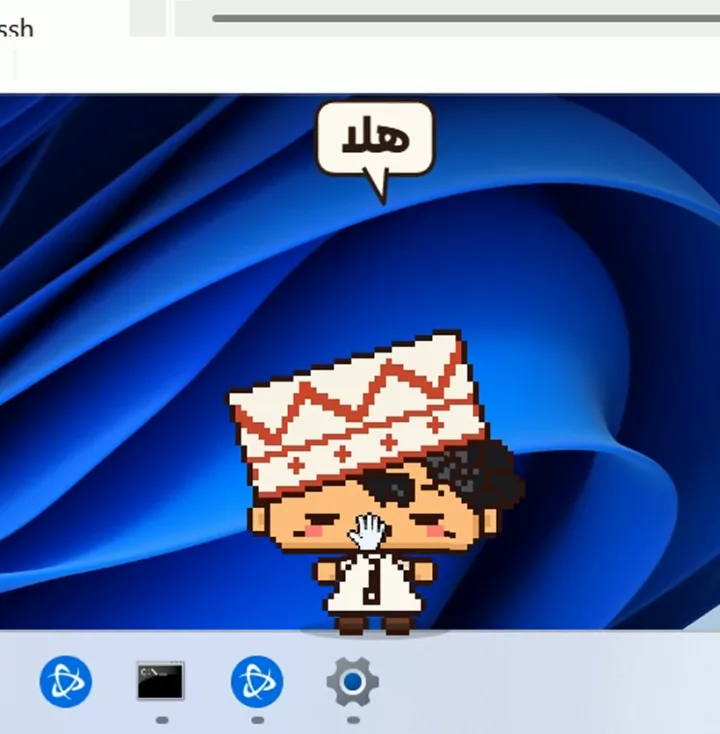
من الريل: «هلا» ينزل لك من فوق، ويقعد على الشريط، ويمشي على حواف النوافذ.
عيونه تلحق الماوس، ولين تبعد عن الجهاز شوي ينام.
-
ارميه… ويرجع
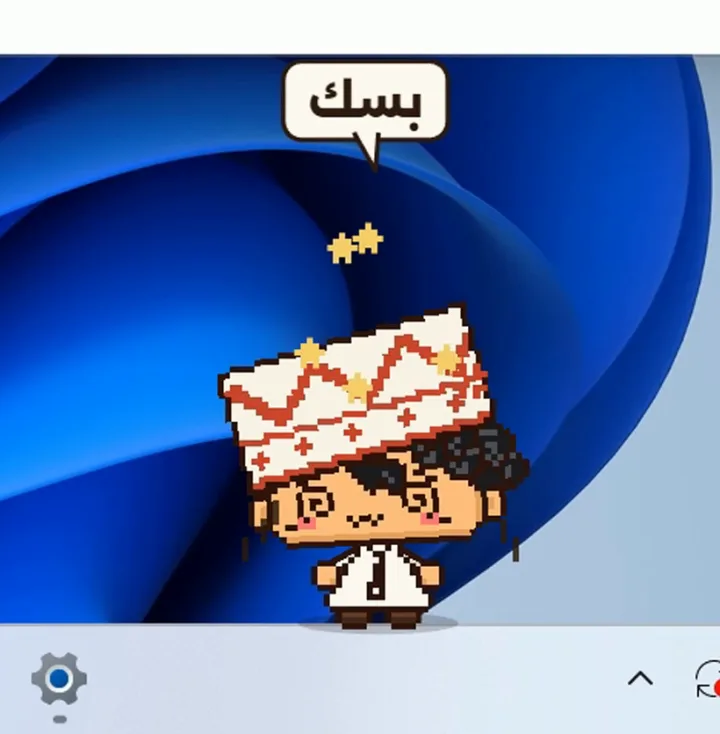
من الريل: «بسك» تمسكه بالماوس وترميه: ينضرب في حافة الشاشة، ويطلع له نجوم، ويرجع يوقف على رجوله.
ويقدر يركب على الماوس، وتنقله من نافذة لنافذة.
-
لا تكثّر عليه
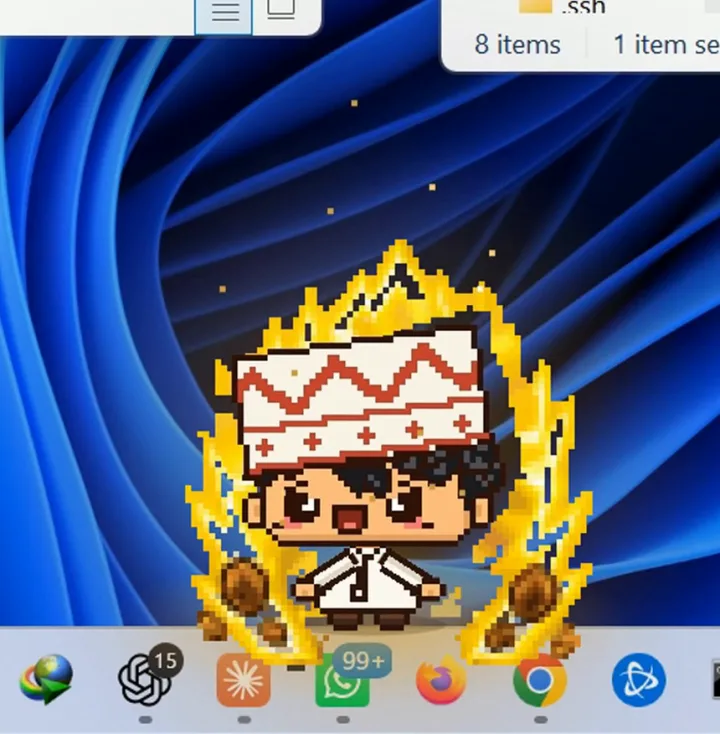
من الريل: العصبية إذا هزّيته زيادة عن اللزوم، ينبّهك مرة ومرتين، وبعدين يعصب وتطلع له هالة نار.
وكل هذا شكل بس: ما يضغط ولا يكتب ولا يلمس ملفاتك.
قبل ما تبدأ
- جهاز Windows.
- اشتراك Claude المدفوع مع Claude Code (أو أي وكيل برمجة يقدر يشتغل على جهازك).
- أداة صور بالذكاء الاصطناعي ترسم من صورة (أنا استخدمت ChatGPT).
- برنامج Node.js على جهازك (مجاني).
- كل خطوة تستهلك من استخدامك في الأدوات. الشغل الطويل يحتاج اشتراك، أو تستنى لين يتجدد الحد.
بدّل اللي بين [ ] بمعلوماتك: اسم شخصيتك، والمجلد اللي فيه رسوماتها.
الخطوة 1: ارسم شخصيتك
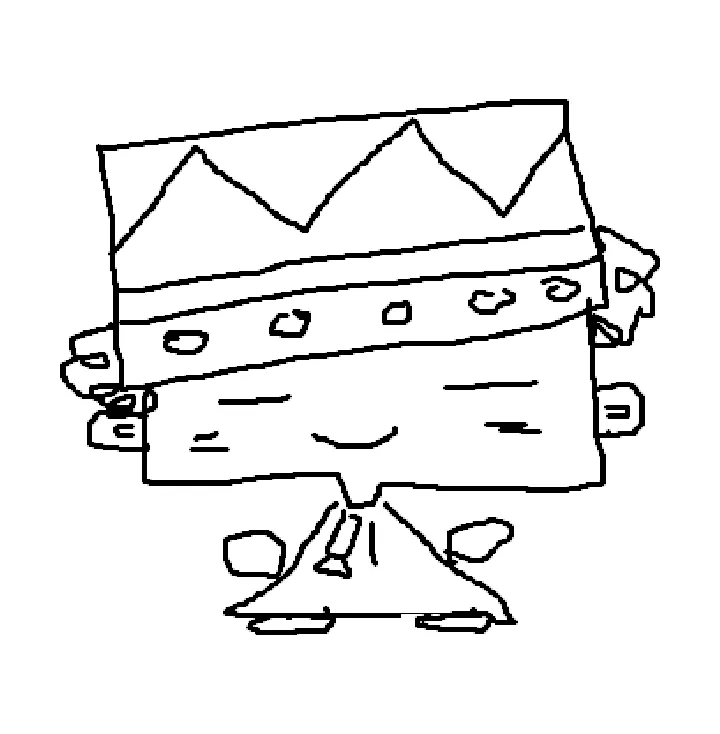
ارسمها بالرسّام أو على ورقة وصوّرها. ما تحتاج تكون رسّام: خطوط بسيطة تكفي.
المهم إنها شخصيتك أنت: الشكل اللي تتخيّله، مو شخصية مشهورة.
الخطوة 2: خلّ أداة الصور ترتّبها وترسم حركاتها

أرسل رسمتك لأداة الصور مع هذا البرومبت. تطلّع لك الشخصية مرتّبة، وبعدها لوحات فيها حركاتها.
إذا تغيّر شي من شكلها، قل لها بكلامك: «رجّع العيون مثل رسمتي».
This is [name], a character I drew myself. Redraw it as clean, cute pixel art on a plain background. Keep what makes it mine: the same shape, proportions, outfit and face. Don't turn it into a different character.
Then make sprite sheets of [name], 4 x 4 cells each, on a plain background, the same size and the same details in every cell: idle with a blink, walk, run, jump, sit, hang by one hand, wave, dizzy, angry. Keep every detail identical from cell to cell.
الخطوة 3: خلّ Claude يحرّكها بنعومة
اللوحات لحالها ترجف، لأن كل رسمة تطلع مختلفة شوي. فحطّ الشخصية ولوحاتها في مجلد، وأرسل هذا لـ Claude Code:
In [folder] are my character [name] (master.png) and its sprite sheets. The sheets were generated, so the details drift from cell to cell: use them only as pose references, never as frames.
Rebuild [name] as a pixel-art rig on one grid, drawn from master.png, with separate parts (head, hair, hat, body, arms, hands, feet). Every part glides between keyed poses at 60 fps; the hat and the hair follow one beat behind the head. Before a big move, a short wait or wind-up; after it, a small payoff.
Make these moves: idle with blinks, walk, run, jump, sit, hang, wave, dizzy, angry with a tantrum. Show every move on one page with a button for each. Before you hand it to me, play every move yourself and fix anything that pops, flickers or changes the character's look.
الخطوة 4: برومبت سطح المكتب
بعد ما تتحرك الشخصية، أرسل هذا لـ Claude Code في نفس المجلد، ويبني لك الرفيق على جهازك:
Turn [name] into a desktop companion on my Windows PC, like the old Office paperclip, but playful: a little kid who keeps me company and pesters me a bit. Use the rig and the moves you already made.
He lives on my desktop: the taskbar is his floor, and the top edge of every window is a ledge. He walks and jumps between them, sits with his legs dangling, peeks out from under the taskbar, and falls asleep when I'm away.
He tracks my mouse with his eyes, chases it, and can ride it. I can grab him, swing him and throw him: he bounces off the screen edges and rolls back onto his feet. Handle him too much and he gets angry: a warning, a second warning, then a tantrum. He reacts to what I do: a new window opening, typing, coming back after a break.
Rules: all of his mischief is visual. He never clicks, types, moves the mouse, or moves, closes or deletes anything. My clicks always go through to my windows, except when the cursor is on him. Use read-only Windows calls only (window positions and titles, the cursor position), never which keys I press. A hotkey hides and shows him; a tray icon has size, sound and quit; start with Windows stays off until I switch it on. He steps aside while a game or a video is full screen, and uses very little CPU when he's idle.
Stack: Electron with a transparent, frameless, always-on-top window. Done means: npm install and npm start work from scratch; a test page shows every trick; you have tried each trick yourself and fixed what breaks; and the README says how to start it, hide it and turn it off.
الخطوة 5: العب معه وعدّله بكلامك
- جرّب كل حركة: ارميه، هزّه، خلّه يركب على الماوس، واتركه ينام.
- إذا ما عجبك شي، قل له بكلامك العادي، مثلاً: «خلّه يمشي أبطأ» أو «لما يعصب خلّ النار أكبر».
- بعض الحركات تحتاج أكثر من محاولة. صف له وش صار بالضبط، ويصلّحه.
ملاحظات
- الرفيق يشتغل على جهازك بس، وما يرسل شي لأي مكان.
- يشوف أماكن النوافذ والماوس عشان يمشي عليها، بس ما يعرف وش تكتب، وما يضغط ولا يحذف شي.
- تقدر تخفيه بزر واحد، وتطفيه من أيقونته جنب الساعة.